Step 5 - Tenant: post terraforming
Note
This step is done by the tenant administrators.
Set up domain-wide delegation (in tenant admin.google.com)
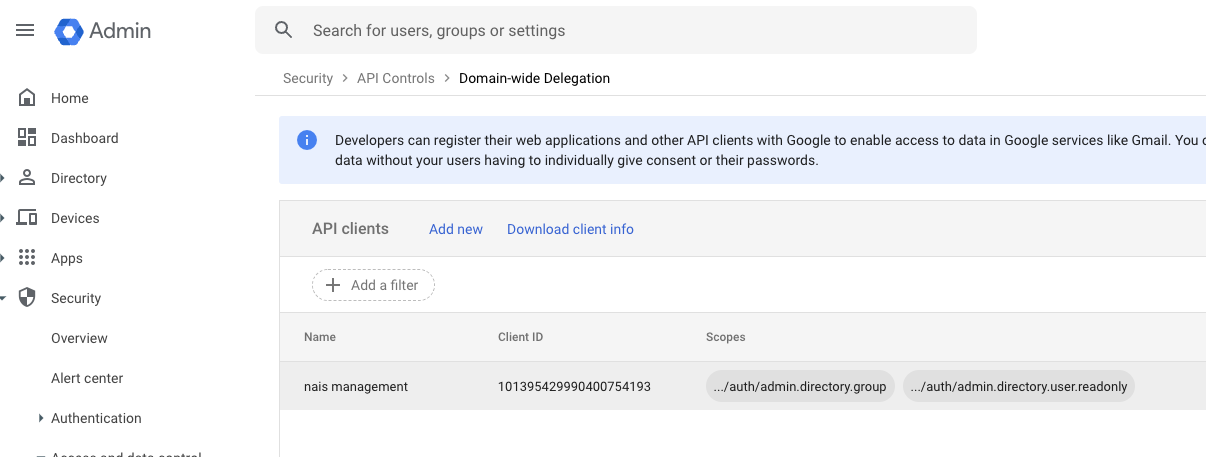
Nais performs some operations on behalf of the Nais admin user mentioned above. For this to work the, this user needs domain-wide delegation with some scopes. This must be manually set up in the Google Admin console:
- Go to https://admin.google.com/ac/owl/domainwidedelegation
- Get the client ID of the tenant directory service account
- Click on
Add newto add a new Client ID - Add the following scopes:
https://www.googleapis.com/auth/admin.directory.grouphttps://www.googleapis.com/auth/admin.directory.user.readonly
- Click on
Authorize
After this is done you should see something like the following: